Structured crash courses for NBME and UWorld + AMBOSS.
Most students do not have a knowledge gap — they have an execution gap.
We fix both: the content AND the strategy to attempt a question.
First hour free — stay only if you are convincedUpcoming Batches
Crash courses, taught live
Small seats, first come first served. No upfront payment — your first hour is free.
Our Students
Success Stories
Real students, real scores, in their own words.
Reviews will appear here soon.
Enrollment
Enroll in a batch
Choose your course, enter your details, and your seat request goes
straight to Dr. Ahmad's list for that course. Seats are limited and
first come, first served.
No upfront payment. Attend your first hour free — then decide to stay or quit.
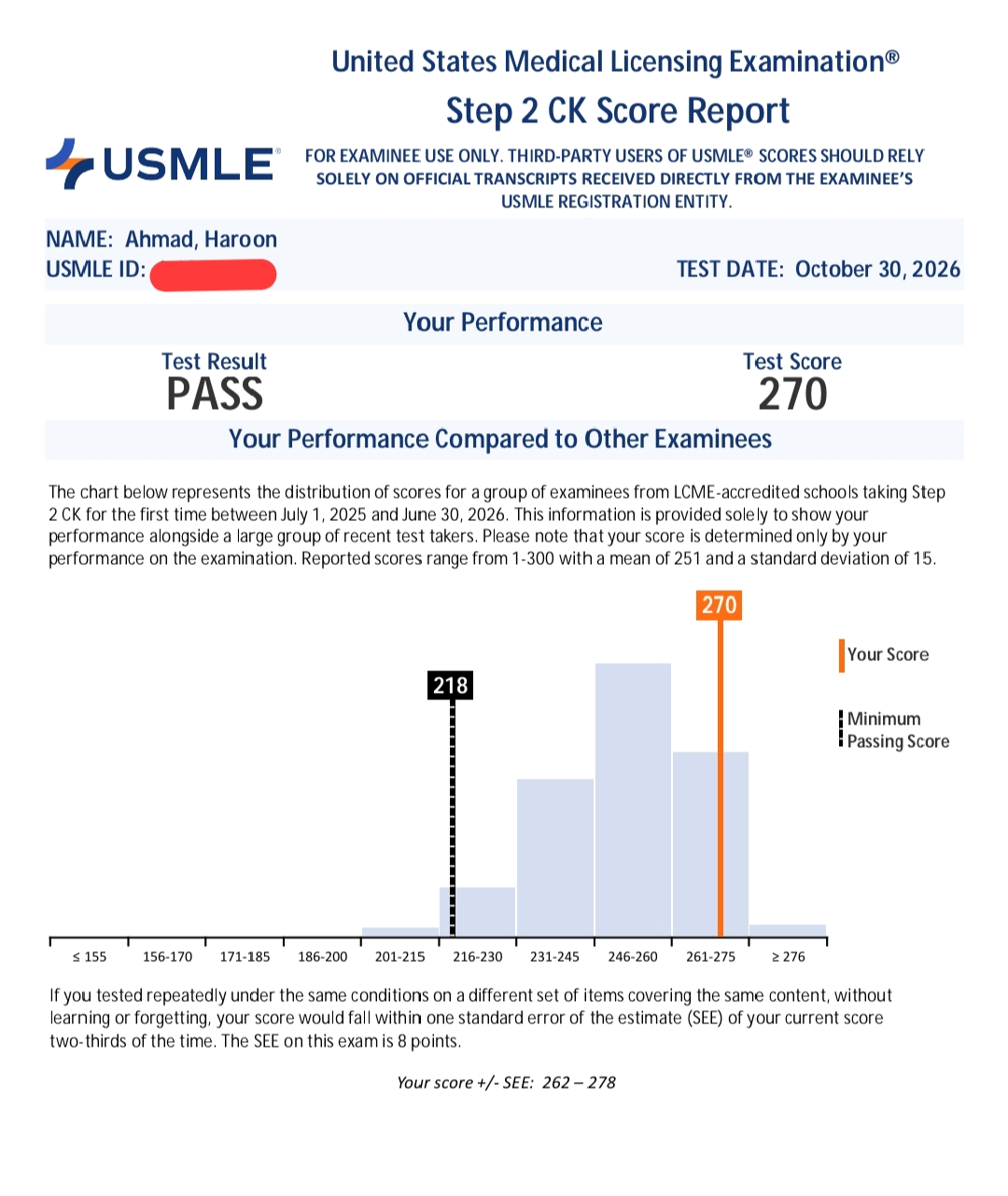
Dr. Ahmad Haroon — Step 2 CK: 270
Official USMLE Step 2 CK score report — 270
About
Dr. Ahmad Haroon
I am a medical graduate from Pakistan. I took USMLE Step 2 CK on
30 October 2026 and scored 270 (result released
11 November 2026).
The free first hour
Join any batch, attend the first hour completely free, and then
decide to stay or quit. No upfront payment, no money lost if you leave.
Restricted area. Sign in to view analytics or edit the website.
Wrong email or password. Try again.
Views & Analytics
Auto-refreshes every 5 seconds. Click any card for full details — every card shows which visitor did what.
0Total Page ViewsView details
0Unique VisitorsView details
0Button ClicksView details
0Submitted FormsView details
0Unfinished FormsView details
0Traffic SourcesView details
0Device TypesView details
Student Data & Excel Export
Every enrollment collected on this browser — Step 2 CK courses and Step 1 tutoring —
plus all visitor activity. Press the button to download everything as one organized Excel file with
separate tabs: Step 2 CK Enrollments, Step 1 Enrollments and
All Visitor Activity. Nothing is left out.
Remember: the master copies of the enrollments also live in
your Google Sheets (one sheet per course + the Step 1 sheet). This page and the Excel file cover
everything collected here, so you can review fast without opening Google.
Edit Courses
The cards are clean text cards — no picture is shown unless you upload one with the + button (it then appears as a slim banner). Update the seats available number as seats fill. Changes are saved automatically and appear on the website instantly.
Edit Reviews
Each review shows on the home page as a smooth sliding card. Upload the student's chat or score screenshot with the + button, then add their name, Step 2 score and what they said.
Edit FAQs
These questions and answers show on the FAQs page. Change any wording, delete a question with its Delete button, or add a new one — then press Save FAQs.
Edit Home, About & Web Content
Changes apply instantly on this browser and are saved automatically.
Publish to the Web
When do you need this? Only for changes you make HERE in the admin
panel (courses, reviews, FAQs, texts, images). Press Publish Now and every visitor sees
them within seconds — no redeploying, no re-uploading files. If instead you edit the website files
themselves (index.html, style.css…), publish them by uploading to your GitHub repository — Cloudflare
Pages then updates the live site automatically. You never create a new project for either one.
Step 1 — connect your Google Sheet (one time only)
Follow Part 11 of STEP-BY-STEP-GUIDE.txt to create the
"Website Content" sheet and deploy its script. Then paste the Web App URL here and press
"Save Link". You only ever do this once.
Step 2 — send your changes to every visitor
Press this after every change you want the world to see — courses, reviews,
texts, images, demo video, contact details: everything on the website.
Backup & Restore
Download a backup copy of every course, review and text you have entered — useful when you move to a new computer or browser.